1. Choose a small set of sites
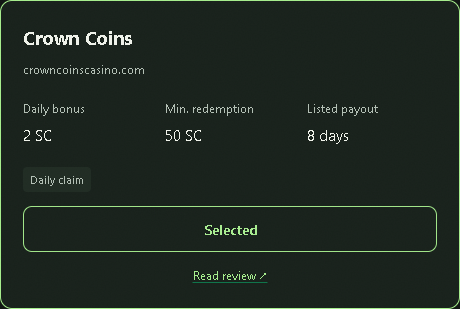
Open the daily bonus tracker and look for your casinos. Start with one site so you can check how its status updates, then add the others you want to track. Check your eligibility and the operator's current terms separately; appearing in a tool's catalog does not establish either.
2. Install in desktop Chrome and enable tracking
- Follow the extension installation instructions on your computer.
- Open a supported casino and sign in yourself.
- Enable tracking for that site in Beat the Spin and review the requested site access.
- Check the site's bonus screen, then compare it with the status and timer in the extension.
Selecting a site on this website does not complete those steps. If a site is missing or its status does not update, use setup help before adding more sites.
3. Check which reset rule applies
A rolling cooldown and a fixed daily reset need different reminders. Read the site's own bonus panel or current terms to establish which rule it uses.
| Rule | Example | What to record |
|---|---|---|
| Rolling 24 hours | A claim at 9:20 a.m. makes the next window no earlier than 9:20 a.m. the next day. | The time the site confirmed the claim. |
| Fixed daily reset | The site's stated midnight reset may use a different timezone from yours. | The stated reset time and timezone. |
| Streak or changing reward | The reward may depend on prior logins or an account-specific offer. | The current terms and what the bonus screen actually shows. |
4. Confirm a claim before trusting the next timer
In Free and Pro, you remain in control of the claim. Open the casino, use its claim control, and wait for confirmation. A click, a countdown reaching zero or a reminder appearing is not proof that a reward was credited.
If the extension and the casino disagree, check the casino's current page first. Sign in again if needed, refresh the page, and let the extension observe it. Keep an unknown or estimated status distinct from a confirmed claim.
5. Check reminders on your own device
Review the site's notification settings in Beat the Spin and Chrome's notification permissions in your operating system. Check whether quiet hours or Do Not Disturb suppress notifications. A closed browser, sleeping computer, expired session or changed casino page can interrupt the workflow; a reminder is not a guarantee that you will receive a bonus.
Use a spreadsheet if you prefer manual records
A simple sheet can hold the site, last confirmed claim, reset rule, next check and notes. Avoid putting casino passwords in it. This takes manual updates, but it lets you use the same routine without an extension.
For more than three tracked sites, compare Free and Pro. For a different product, read Beat the Spin vs Bonus Pilot. For optional autonomous claiming, read the automation guide.
Set up your first tracked site
Start with a casino you already use and verify one complete claim-and-reset cycle.
Choose your sites