


Install Tracker
Get the Free and Pro edition from the Chrome Web Store on your computer.
See your timers, check a site, and keep your records together. Start with 3 tracked sites for Free.
Tracker for desktop Chrome. No account or card needed to start.
Find the sites you already useYour next step, site by site.
Choose up to 3 sites for Free. Support means tracking availability. Availability and terms vary by site and location.
Selection does not enable tracking.
Need more tracked sites? Compare plans. Research before joining: BonusBandit reviews and research.
Start locally in Chrome. The setup page checks real progress when your extension can reply.
Get the Free and Pro edition from the Chrome Web Store on your computer.
Select from the catalog before installing, or find your first site inside the extension.
Enable tracking and approve Chrome's access prompt. If you decline, you can retry from the affected site.
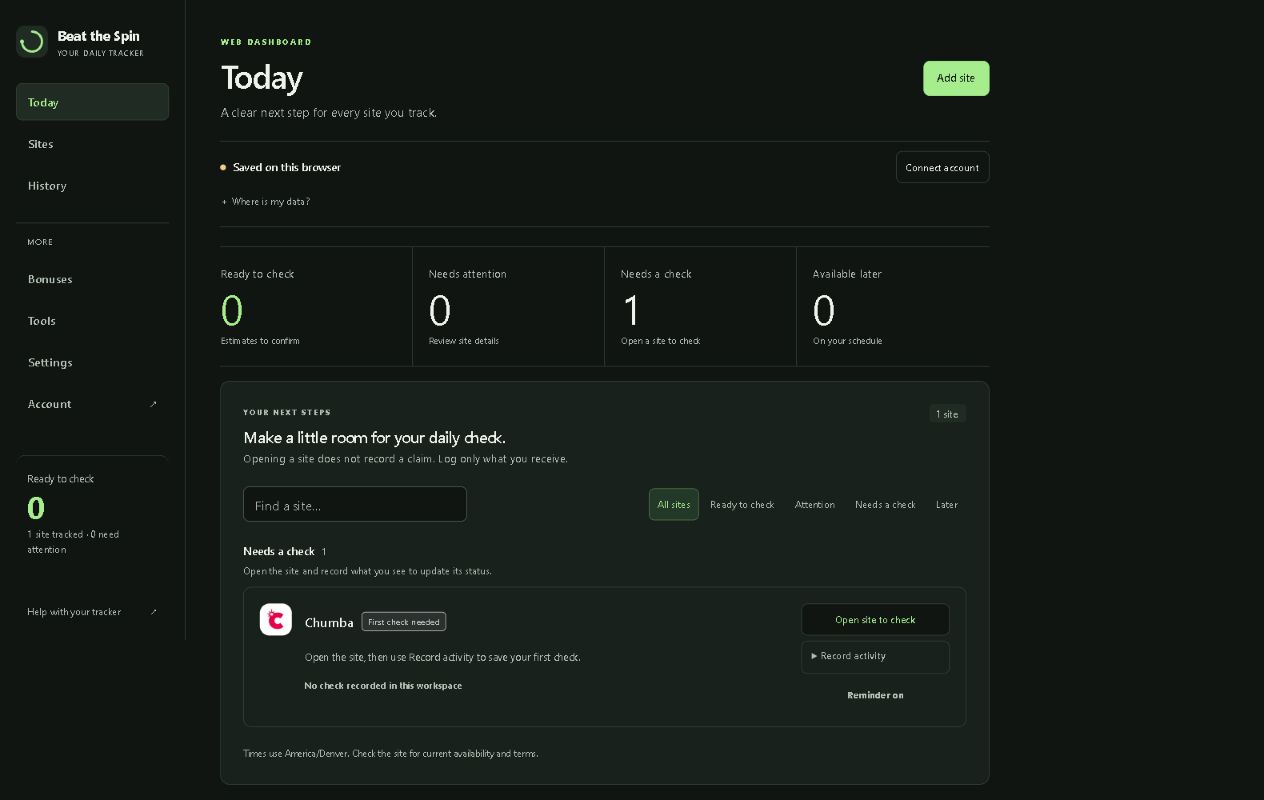
Open a supported site. Today separates recorded observations from estimates and unknowns.
Start with Free. Compare the current billing terms and features before choosing a paid plan.
Track your first few sites with reminders and basic history. No credit card required.
Start with Free →Unlimited tracked sites, guided claiming that you confirm, full insights, and 90-day history.
See Pro pricing →Pro features plus supported automation in Beat the Spin Automate. A separate manual installation is required.
Explore Automate →You choose site access and can review your records, privacy settings, and account at any time.
BTS tracks information; rewards, availability, and redemption remain subject to each site's terms. Set your own limits.