Download Beat the Spin
Get the Chrome extension and start tracking your daily rewards automatically.
Download Extension (ZIP)
📦 Installation Instructions
-
1
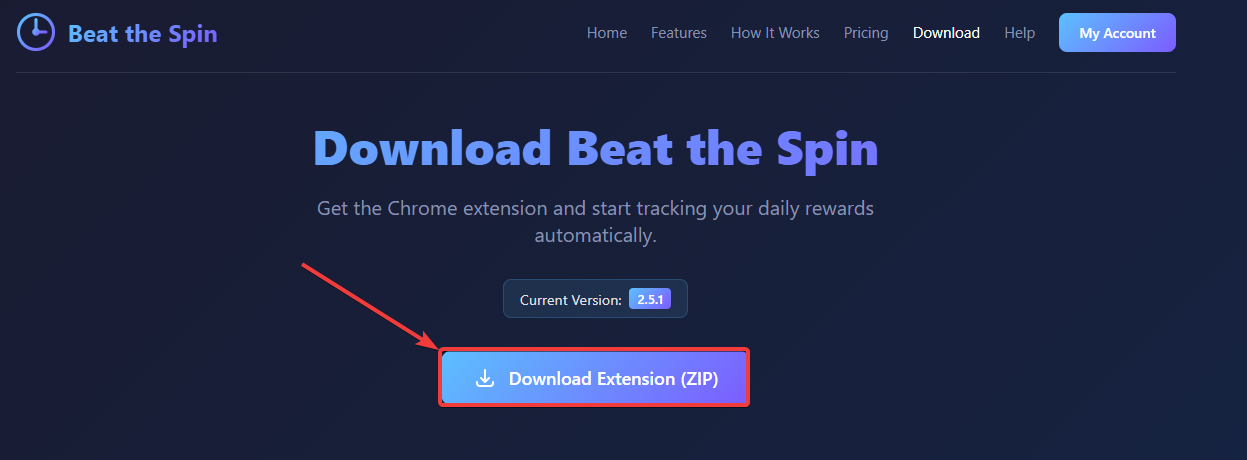
Download the Extension
Click the download button above to get the ZIP file. Save it somewhere you can find it easily.
-
2
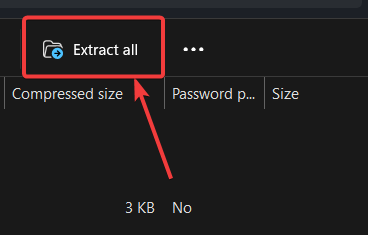
Extract the ZIP File
Right-click the downloaded file and select "Extract All" (Windows) or double-click to extract (Mac). Remember where you extracted it!
-
3
Open Chrome Extensions
In Chrome, go to
chrome://extensionsor click the menu (⋮) → Extensions → Manage Extensions. -
4
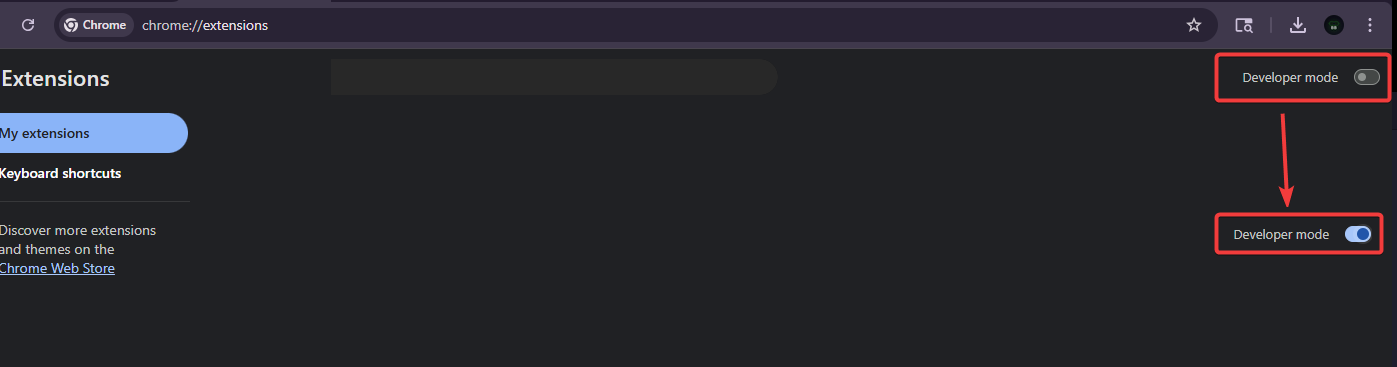
Enable Developer Mode
Toggle the "Developer mode" switch in the top-right corner of the extensions page.
-
5
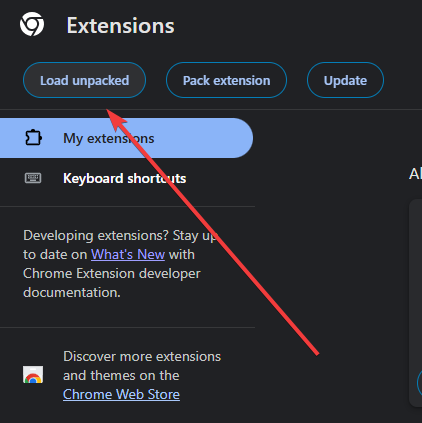
Load the Extension
Click "Load unpacked" and select the extracted folder from your Downloads.
⚠️ Important Note
Chrome may show a warning about developer mode extensions. This is normal for self-hosted extensions. The extension is safe to use and your data is protected.
🔄 Automatic Updates
Beat the Spin includes an automatic update checker that will notify you when a new version is available.
- The extension checks for updates every 12 hours
- You'll receive a notification when a new version is released
- To update: download the new ZIP, extract it, and reload the extension in Chrome
To manually reload: go to chrome://extensions, find Beat the Spin, and click the refresh icon (↻).